Fortnite Chest Counter
See your Fortnite chest total on your desktop or in OBS. The app counts chests you open or break before opening.
Get started
Turn on replay recording
In Fortnite, go to Settings → Game → Replays and turn on recording. Then run the downloaded exe.
Choose where to show the counter
On your desktop
Click Show on desktop to open a small window that stays on top. Drag it where you want it. The counter stays visible when you minimize the main app.
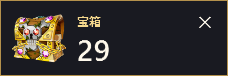
In OBS
Click Copy in Chest Counter. In OBS, choose Sources → + → Browser and paste the URL.
320 × 88 px

OBS overlay preview Leave the app open while you play
In the default Low impact (after match) mode, the total updates once the replay is saved.
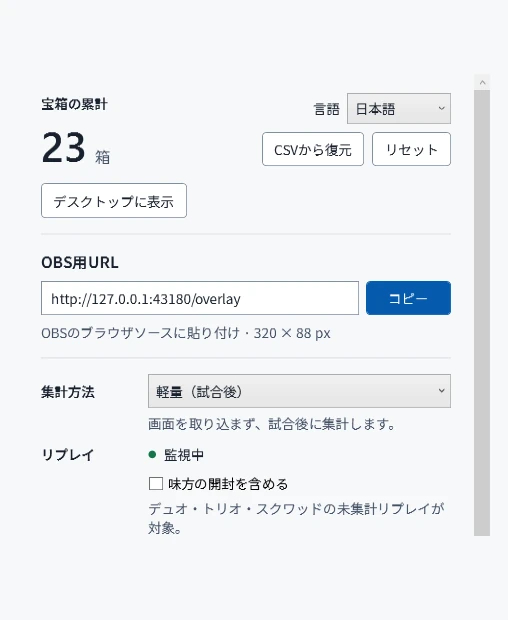
Change what gets counted
Compatibility
Requires 64-bit Windows 10 or 11 and Fortnite for PC installed via the Epic Games Launcher. Use OBS Studio to show the counter on stream.
Replay counting covers regular and ranked Battle Royale and Zero Build. Tested with replays from Fortnite 43.00 and 43.10.
If Chest Counter cannot verify the Fortnite decoder, it downloads a decoder from npm when counting replays. An internet connection is required for the first download.
Your counts stay on your PC, and OBS receives the total over a local connection.
Portions of the materials used are trademarks and/or copyrighted works of Epic Games, Inc. All rights reserved by Epic. This material is not official and is not endorsed by Epic.